

How Server-Side Rendering Works
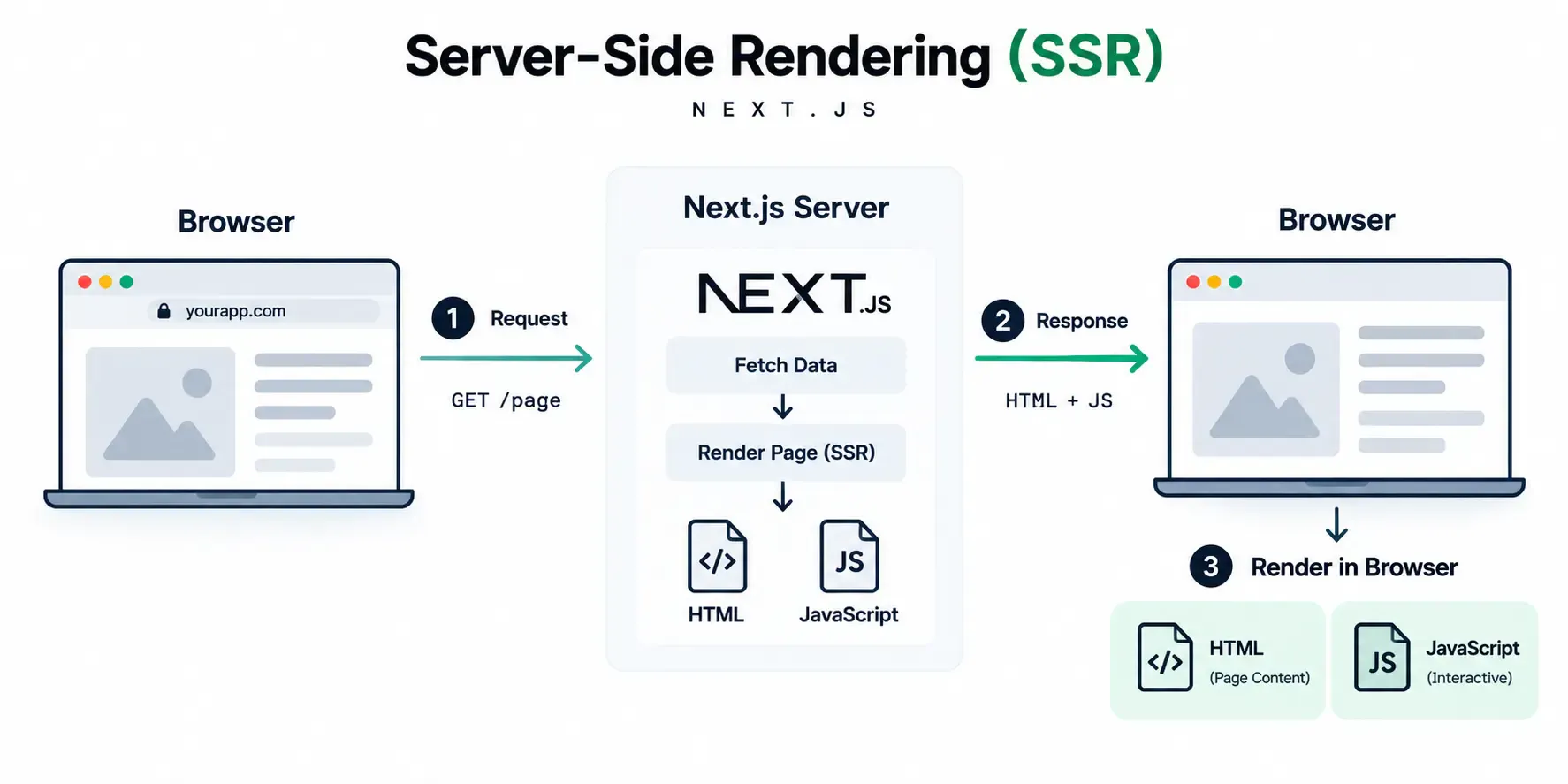
1. Browser Sends a Request
When a user visits a page, the browser sends a request to the Next.js server.
2. Server Renders the Page
Next.js fetches the required data and generates the initial HTML on the server.
3. Browser Receives the Content
The server sends the rendered HTML along with the JavaScript needed by the page.
4. Page Becomes Interactive
The browser displays the HTML first. React then hydrates the interactive parts using JavaScript, enabling buttons, events, and other client-side interactions.
In short: Request → Server Render → HTML → Hydration → Interactive Page.
How Client-Side Rendering Works
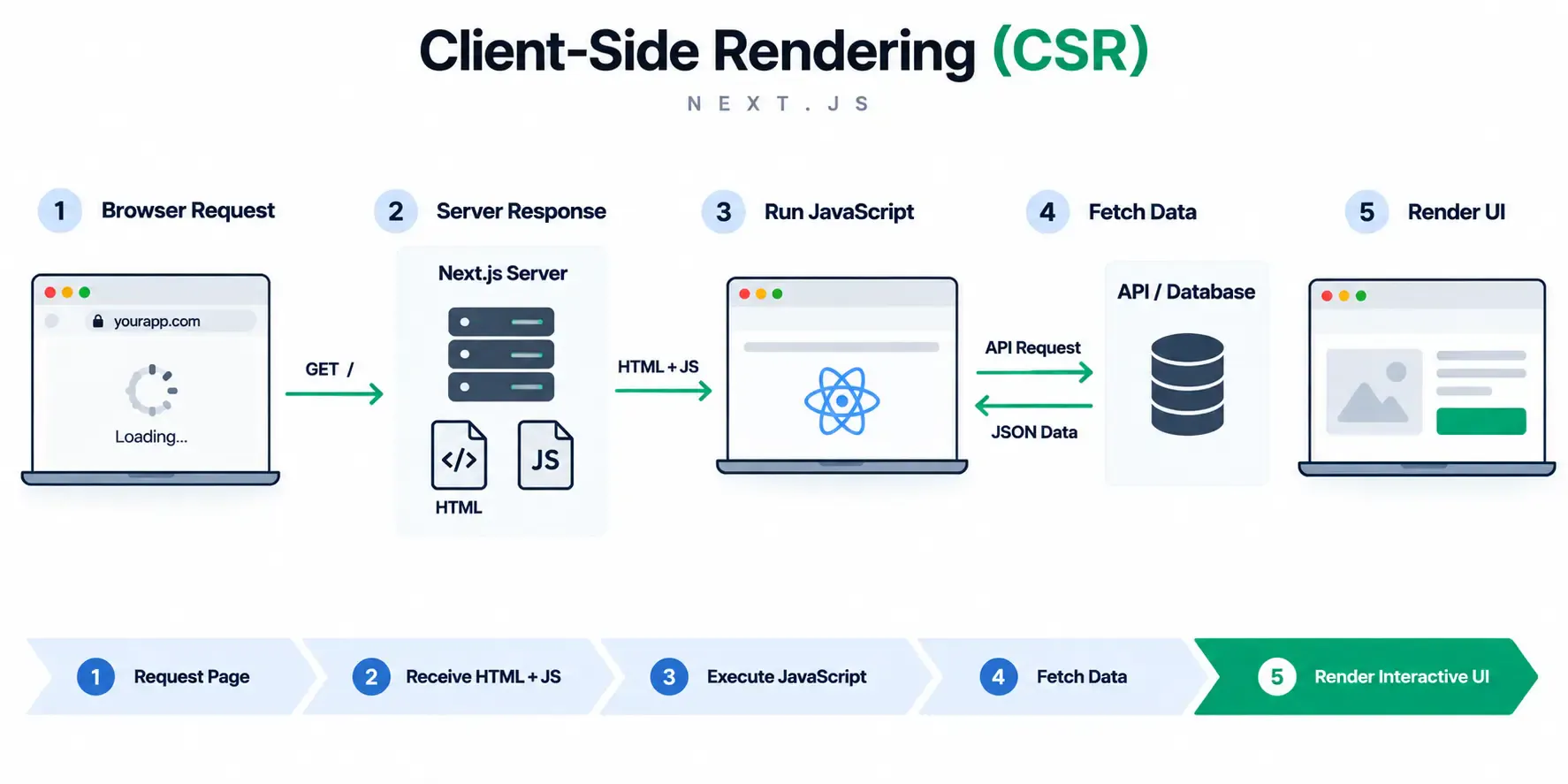
1. Browser Requests the Page
The browser sends a request to the server for the application.
2. HTML and JavaScript Load
The server returns a minimal HTML shell along with the JavaScript bundle needed to run the application.
3. JavaScript Runs in the Browser
The browser downloads and executes the JavaScript. Unlike server-side rendering, the main UI is constructed on the client.
4. Data Is Fetched
JavaScript can request the required data from an API and receive the response.
5. Browser Renders the UI
React uses the application code and fetched data to render the interface and make it interactive.
Flow: Request → HTML + JavaScript → Execute JavaScript → Fetch Data → Render UI.
When Should You Use SSR or CSR?
Use Server-Side Rendering (SSR) When
Choose SSR when users need to see meaningful content quickly and the page benefits from search engine visibility.
Good for: blog posts, service pages, product pages, news or article pages, public profiles, and other SEO-focused content.
Use Client-Side Rendering (CSR) When
Choose CSR-heavy patterns when the experience is highly interactive and much of the content changes in response to user actions after the application loads.
Good for: dashboards, admin panels, analytics interfaces, complex filters, interactive tools, and application-style experiences.
Conclusion: Choose Rendering Based on the Experience
SSR and CSR solve different problems. SSR is a strong choice when content needs to load quickly and be discoverable by search engines, while CSR works well for highly interactive experiences where the interface changes frequently in the browser.
